Choosing the best Access Control Card Reader is not simply a matter of selecting the newest device. It is a practical security decision involving people, doors, credentials, software, and daily operating conditions. A reader mounted beside a busy warehouse entrance faces dust, vibration, gloves, rain, and repeated use. An office reader may instead prioritize mobile credentials, visitor management, and clean integration with existing systems. The right choice depends on evidence, not attractive specifications.
Industry data shows why this decision deserves careful attention. MarketsandMarkets estimates that the global access control market will grow from approximately USD 9.9 billion in 2023 to USD 14.9 billion by 2028. Its analysis points to stronger demand for connected, cloud-enabled, and identity-focused systems. Grand View Research also identifies sustained growth through the decade, supported by smart buildings and enterprise security upgrades. These figures suggest momentum, but market growth does not guarantee a good installation.
A reliable evaluation should examine credential security, reader compatibility, communication protocols, encryption, weather resistance, accessibility, and lifecycle support. The Security Industry Association emphasizes interoperability and cybersecurity as important parts of modern security planning. In real projects, small details matter. Does the reader respond quickly with wet fingers? Can administrators revoke a lost card immediately? Will the system still work during a network interruption? This is where product comparisons often become less certain. A technically advanced reader may be excessive for one site and insufficient for another. Careful testing, vendor documentation, and feedback from installers can reveal the difference. That process takes time. It is still worth it.
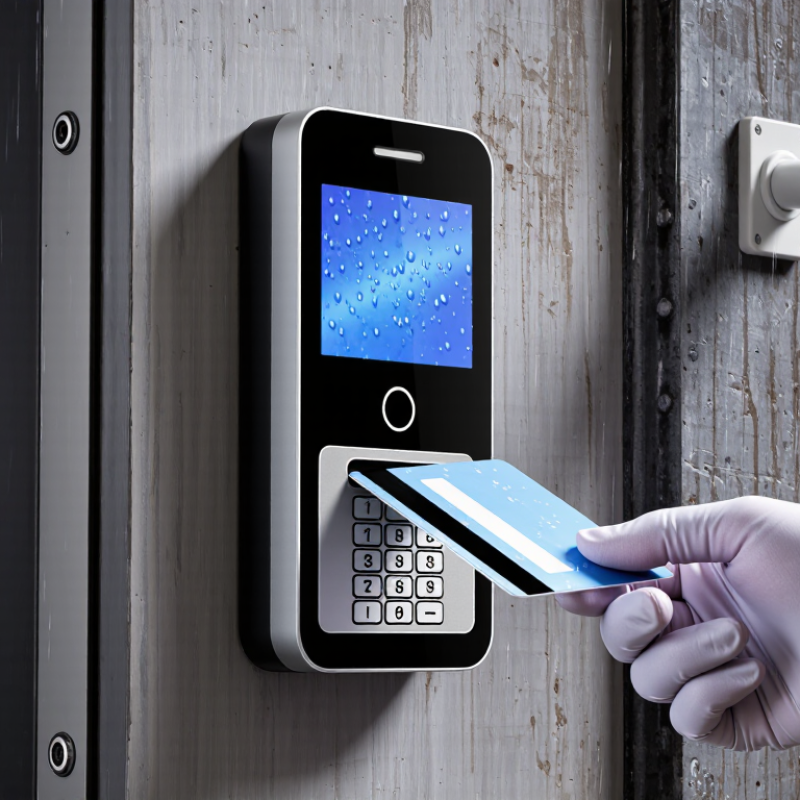
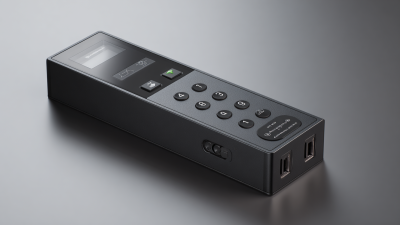
An access control card reader is an electronic device that checks a person’s entry credential. It may read a proximity card, smart card, or mobile credential. When the credential is presented, the reader captures its encrypted identification data. It then sends that data to an access control system. The system compares the credential with approved permissions. If access is allowed, the reader signals the door lock to release. If not, the door stays secured. Simple, but important.
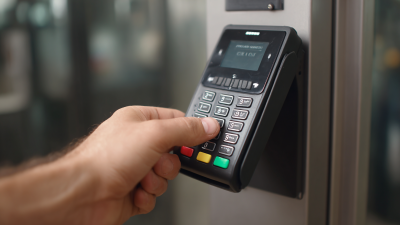
The best access control card reader depends on the building, users, and security needs. A busy office may need fast reading and clear visual signals. An outdoor entrance needs weather resistance and stable performance during temperature changes. Professional installers also check wiring routes, reader height, emergency procedures, and system compatibility. These details often matter more than appearance. No reader is perfect. A technically advanced model can still fail when installation is rushed or credentials are poorly managed. Regular testing reveals those weaknesses before they become serious access problems.
Tips: Choose credentials that match your risk level and daily workflow. Test the reader with clean and damaged cards. Review access records regularly. Keep backup entry procedures documented. Avoid placing readers where sunlight, water, or metal structures can interfere with reading. Ask an experienced security professional to inspect the complete system, not only the reader.
What Is the Best Access Control Card Reader?
How Different Card Reader Technologies Work
A card reader is not simply a door scanner. It interprets a credential, checks permissions, and sends an access decision to a controller. Proximity RFID readers use radio waves and work quickly through cards or key fobs. Smart card readers use encrypted chips, making credential copying more difficult. NFC readers communicate over short distances, often with mobile devices. Bluetooth readers can support hands-free entry, but they depend on phone settings and battery life.
The best technology depends on the site. A warehouse may value durable RFID hardware and fast entry. A research facility may need smart cards with stronger authentication. According to the 2024 MarketsandMarkets access control report, the global market may grow from about 10.3 billion dollars in 2023 to 15.2 billion dollars by 2028. That growth reflects broader demand, not automatic security. The Verizon 2024 Data Breach Investigations Report found that human involvement appeared in 68% of breaches. A reader can be technically strong and still fail through lost cards, shared credentials, or poor enrollment practices. No reader is perfect.
Tips: Test readers with gloves, bright sunlight, metal doors, and crowded entrances. Review audit logs regularly. Keep a fallback process for dead phones or damaged cards. During site reviews, I also check tailgating risks, because convenient access can quietly weaken control. That detail is easy to miss.
| Card Reader Technology | How It Works | Typical Operating Frequency | Typical Read Range | Security Level | Credential Capacity | Cloning Resistance | Multi-Factor Support | Key Advantages | Main Limitations | Best-Fit Applications |
|---|---|---|---|---|---|---|---|---|---|---|
| Magnetic Stripe | Reads encoded data stored on a magnetic stripe when the card is physically swiped through the reader. | Not applicable | Physical contact only | Low | Usually limited to a small fixed data record | Low; stripe data can often be copied or replayed | Limited; generally requires a separate PIN pad or biometric device | Low cost, simple operation, and compatibility with legacy systems | Cards wear out, require contact, and provide weak protection against copying | Legacy facilities, low-risk areas, and temporary systems |
| Low-Frequency Proximity | Uses inductive coupling to identify a passive contactless credential, typically without encryption or with limited security features. | Approximately 125–134 kHz | Usually 2–10 cm | Low to Medium | Typically a unique identifier or small credential record | Low to Medium, depending on the credential design | Possible with a PIN pad, mobile credential, or biometric reader | Reliable, inexpensive, and tolerant of dirt and surface wear | Short read range and limited protection against credential duplication | Basic office access, small businesses, and legacy installations |
| High-Frequency Contactless Smart Card | Communicates wirelessly through inductive coupling and can exchange encrypted data with the reader. | 13.56 MHz | Usually 2–10 cm | Medium to High | From a simple identifier to several kilobytes, depending on the chip | Medium to High when secure authentication and encryption are enabled | Yes; supports PINs, biometrics, and additional authentication factors | Strong security options, fast operation, and support for multiple applications | Security depends heavily on the card, key management, reader, and system configuration | Corporate offices, campuses, healthcare, education, and modern access systems |
| NFC Mobile Credential | Uses a smartphone’s NFC interface to exchange a short-range credential with a compatible reader. | 13.56 MHz | Usually less than 5 cm | High | Digital credentials can support application data and cryptographic authentication | High when device security, tokenization, and cryptographic authentication are used | Yes; can be combined with device PINs, passwords, or biometrics | No physical card inventory, convenient deployment, and strong user authentication options | Requires compatible phones, applications, policies, and contingency procedures for dead batteries or lost devices | Mobile-first workplaces, hotels, universities, and visitor access |
| Bluetooth Low Energy | Uses short-range wireless communication between a mobile device and a reader, often with encrypted digital credentials. | 2.4 GHz | Commonly 1–10 m, depending on configuration | High | Digital credentials can contain cryptographic keys and access permissions | High when secure pairing, encryption, and regularly changing tokens are implemented | Yes; supports device biometrics, PINs, and additional factors | Hands-free options, flexible range settings, and convenient smartphone operation | Performance can be affected by phone settings, radio interference, and operating-system behavior | Smart buildings, parking facilities, offices, and touchless entry systems |
| QR Code or Barcode | Uses an optical scanner or camera to read a printed or digital code containing an access token. | Not applicable | Several centimeters to more than 1 m, depending on the scanner | Low to Medium | Can store more data than a magnetic stripe, but capacity varies by code format | Medium when codes are short-lived and server-validated; low for static codes | Yes; can be combined with identity verification, PINs, or a second credential | Low-cost issuance, easy visitor management, and support for temporary credentials | Codes can be photographed or shared unless they are time-limited, signed, or validated online | Visitors, events, deliveries, temporary access, and reservations |
| Smart Card with Contact Chip | Transfers data through physical electrical contacts between the card chip and the reader. | Not applicable | Physical contact only | High | From several kilobytes to substantially more, depending on the chip and application | High when the chip uses secure authentication and cryptographic operations | Yes; can be paired with a PIN or biometric verification | Strong cryptographic capability and mature credential-management options | Requires insertion, contact surfaces can wear, and readers need regular cleaning | High-security areas, government environments, and systems requiring certificate-based authentication |
| Biometric Reader with Card Support | Reads a card or mobile credential and verifies a physical characteristic such as a fingerprint, face, or iris. | Varies by card interface; biometric sensor may use optical, capacitive, or infrared technology | Card range depends on the integrated reader technology | Very High | Credential storage varies; biometric templates are normally stored in a protected system or secure device | High when liveness detection and protected template storage are used | Yes; supports two-factor or multi-factor authentication by design | Reduces credential sharing and provides strong identity assurance | Higher cost, privacy requirements, enrollment effort, and possible usability concerns | Data centers, laboratories, critical infrastructure, and restricted zones |
Actual performance depends on reader hardware, credential design, encryption, key management, installation conditions, metal interference, user behavior, and access-control software configuration.
When comparing access control card readers, start with credential security, not appearance. A well-built reader should support encrypted communication, secure credential storage, tamper detection, and rapid credential revocation. NIST Special Publication 800-63B stresses stronger authentication and careful control of authenticators. That guidance matters when a lost card sits unnoticed under a desk. It should stop working quickly.
Communication standards also deserve attention. Open, supervised protocols can provide encrypted links, device monitoring, and clearer fault reporting. Ask whether the reader continues safely during a network outage. Some systems fail open, while others fail secure. Neither choice fits every building. Fire exits, clinics, warehouses, and offices need different decisions.
The Verizon 2024 Data Breach Investigations Report found that the human element appeared in 68% of breaches. A reader cannot fix every weak process. However, audit trails, anti-passback options, role-based permissions, and simple administration can reduce avoidable mistakes. IBM’s 2024 Cost of a Data Breach Report placed the global average breach cost at 4.88 million dollars, making reliable logs more than a convenience. Check temperature ratings, water resistance, accessibility, installation depth, and maintenance needs during a physical site test. Small details matter. My own evaluation would include wet gloves, poor lighting, and a disconnected controller. A polished demonstration can hide awkward daily use.
Which features matter most depends on the credential technology and the required reading distance. The chart compares representative upper read-distance limits for common contactless access-control technologies. Actual performance varies with antenna design, card type, installation, and interference.
Reference basis: ISO/IEC 14443 supports proximity cards at approximately 10 cm, while ISO/IEC 15693 is designed for vicinity cards with operating distances that can reach approximately 1 m. Low-frequency proximity systems commonly operate within a few centimeters.
What Is the Best Access Control Card Reader?
The best card reader is not always the newest or most expensive model. It must match your security needs, building layout, and daily user habits. Start with the credential type. Basic proximity cards may suit a small office with limited risk. Smart cards with stronger encryption are more suitable for facilities handling sensitive records. Consider how quickly access permissions must change. A lost card should be disabled without delay.
The installation environment also matters. An outdoor entrance may need weather resistance, sealed buttons, and clear visibility in low light. A warehouse reader should work with gloves and dusty hands. A hospital reader may need quiet operation and easy cleaning. Check the reader’s mounting height, reading distance, and power requirements before purchase. Small details can affect daily reliability. Fit matters.
Integration deserves careful attention. Confirm compatibility with the access controller, door hardware, visitor system, and event logs. Ask what happens during a network or power failure. Some doors should remain secure, while emergency exits must support safe evacuation. These decisions require professional assessment and local safety guidance. In practical testing, readers often perform differently than expected near metal frames or electrical equipment. That assumption can fail. Test the card, reader, wiring, and software together before full deployment. A pilot installation may reveal problems that product sheets miss.
Before installing a card reader, inspect the door, wall, and daily traffic. A glass lobby door needs different hardware than a metal server-room door. Measure the frame, opening direction, reader height, and available cable path. Check lighting, moisture, dust, and temperature near the entrance. These details can affect recognition, wiring, and long-term reliability.
Confirm the power supply, backup capacity, network connection, and controller location. A reader may work perfectly during testing but fail when power drops. Ask whether the system can record access events, revoke lost credentials quickly, and support different permission levels. The 2024 Data Breach Investigations Report reviewed more than 30,000 security incidents. It found that human involvement appeared in 68% of breaches. Credential sharing and weak offboarding deserve careful attention. Small gaps become expensive.
Review fire-safety requirements, emergency unlocking, privacy controls, and local building rules before drilling. The reader should not obstruct evacuation or trap people during an outage. Test the complete process with employees, visitors, and maintenance staff. Watch someone use it while carrying boxes. That test is revealing. A pilot installation also exposes blind spots in door coverage and network stability. No plan is perfect; I would rather revise one reader location early than repair a finished entrance later. Keep spare capacity for future doors, users, and authentication methods, but avoid paying for features nobody can operate.